/ All Recent

0

Chat History

My Chats β€” all images

Login Required

You need to be logged in as a member to make your chat history public. Please log in or create an account to use this feature.

Character Settings

Character Stats

Creator
Creator
Created
Unknown
Last Settings Update
Never
Last Message
Never
Messages (Last 24h)
0
Messages (Last Week)
0
Total Messages
0
Unique Users
0
The persona info you set here will be used with all characters and isn't tied to just this one. Allows the AI to know more about yourself to help personalize your chats.
Replaces your username in chat. Use it to allow the AI to know your real name or set a different nickname.
0 tokens
Describe yourself in third person and add any personal context for the AI to remember about you.
Upload a custom background image or choose from pre-selected backgrounds.
Add triggers that will change the background when specific phrases are detected in the conversation. Use * for wildcards.
Info and tips on using this character (not used in chat)
Generate character details using an AI based on the main image. Select which fields to generate below.
Only edit these prompts if you understand the format. Incorrect changes may cause generation to fail. Maintain the JSON structure where requested.
Cost: 0.1
No past generations found.
0 tokens
0 tokens
0 tokens
Add example conversations to help define the character's speech patterns and behavior
0 tokens
Add possible first messages from the character. One will be randomly selected when starting a new chat.
Add secret system message injections at set conversation depth levels to guide the conversation in a specific direction to help narrate a story or add more complexity to the conversation.
Set an overarching AI director that monitors the entire conversation and can inject guidance at any point to steer the narrative. Unlike regular injections, the master director uses AI to decide when and what to inject based on your directive.
Enable Master Director
Add lore entries that will be injected when specific keywords or phrases are mentioned in the conversation. Use this to dynamically provide context about your world, characters, or story elements.
0 tokens
A short reminder of the character's core personality traits that is injected and permanently held at your set depth level from the latest message to keep it on track during longer conversations. Same thing as "Author notes" from ST. 0 injects as the most recent message.
Depth
Role
0 tokens
Initial instructions that comes before anything else, may be used to jailbreak more censored models if needed. Usually isn't needed with most models except for Anthropic and OpenAI models.
0 tokens
Instructions that are injected after the users latest message to silently update the AI model with what you've set. May override the users flow in unexpected ways.
1
40
0.5
1
0.015
0
1.0
1
0
0
16384
Override the default system prompts used for different AI model types. The active prompt for the current model's type will be used.
Current Chat Model Type: Unknown
Active Override: Default Prompt
Total Character Tokens: 0
Too high of a token count leads to poor long term memory. Under 8,000 tokens yields best results.
Save and load different character configurations.

Saved Character Settings

Your character settings have been saved successfully!

Would you like to start a new chat with these updated settings, or continue your current chat with these updated settings?

Export Character Settings

Select the settings you want to include in the exported JSON file.

Loading settings...

Import Character Settings

Select the settings you want to import from the selected file. Fields not present in the file are disabled.

Processing file...
×

Comments

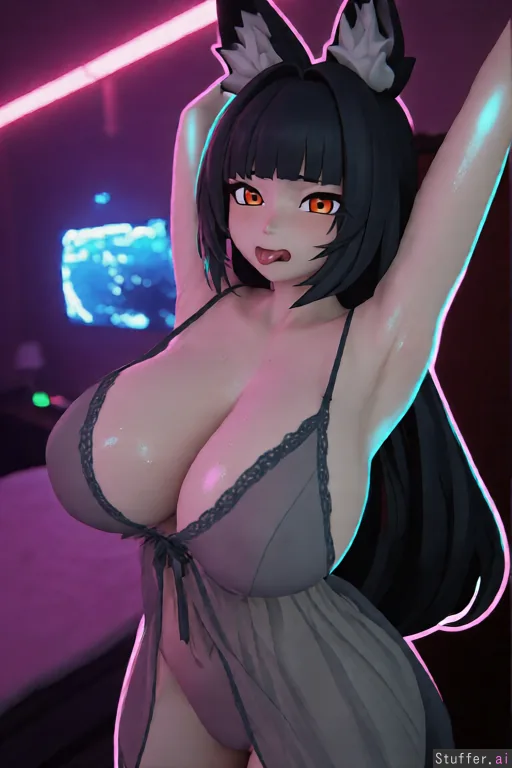
Model Qwen Edit
Steps 5
Guide 1
Strength 1
Resolution 512x768
Seed 721606583
Scheduler euler
Prompt

Edit this image carefully. Keep the exact same anime-style character, same pose with both arms raised, same facial expression, same black long hair with fox ears, same orange eyes, same sheer gray nightgown outfit she must remain fully clothed at all times. Make the following improvements: Lighting: - Add strong neon rim light (cold purple-pink and cyan) from behind and the sides that clearly outlines the edges of her hair, fox ears, shoulders, arms, and the sides of her breasts. - Place the key light slightly higher and from the front-left so the face and upper body have better volume and soft shadows. - Add a soft warm fill light from below/side so shadows are not pure black but have a gentle purple or pink tint. - Make the pink neon strip on the ceiling actually illuminate the top of her hair and shoulders with a realistic falloff. - Make the blue glowing screen in the background cast a soft cyan light and reflections onto her raised arm, side of the body, and part of the nightgown. Materials and textures: - Improve the sheer nightgown fabric: add subtle subsurface scattering, soft anisotropic highlights on the folds, and more realistic semi-transparency so the body slightly shows through naturally while remaining fully covered. - Add delicate micro-detail and emboss to the black lace on the bust. - Give the skin a very subtle natural specular sheen (soft wet/oily look) on the shoulders, collarbones, upper chest, and cheeks. - Enhance the black hair with more volume, fine individual strands, strong anisotropic highlights, and rim lighting along the edges. - Add a wet specular highlight on the tongue and lips. - Give the fox ears soft rim light and slight translucent tips. Color and atmosphere: - Strengthen colored light bounce: pink-purple neon reflections on the skin and fabric, cyan reflections from the screen. - Make shadows softly colored instead of neutral gray. - Add gentle bloom/glow on the neon lights, the screen, and a brighter more complex catchlight in the eyes. Body proportions: - Noticeably increase the size of her breasts and hips while keeping the same anime proportions and the exact same clothing (the sheer nightgown must still fully cover her, no skin exposure beyond what is already visible). Overall keep the pure anime stylization, do not make it realistic 3D or photorealistic. Only improve lighting, materials, atmosphere and body proportions as described.

Negative Prompt

Qwen Edit does not use a negative prompt

Create New Playlist